Free · Open source · 100% in your browser
Markdown to Word
Turn Markdown into a formatted Word (.docx) document, entirely in your browser. Your files are never uploaded.
Trusted since 2015
Converted
Nice — one more doc from Markdown into Word. I wrote the playbook for writing things down this way:
See Open & AsyncPaste or drop
Paste Markdown, or drag in a .md file or choose one.
Convert
It converts in your browser: no server, no waiting.
Download
Save the .docx, or copy formatted text straight into Word or Google Docs.
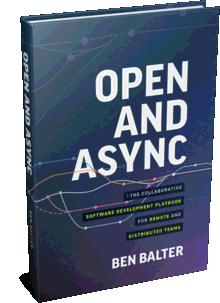 From the makerI built this free tool — and I wrote the book on working in the open. Open & Async is the GitHub-tested playbook for remote and distributed teams.Buy now
 What gets converted
| Markdown | In Word |
|---|---|
# Heading | Heading 1–6 styles |
**bold** *italic* | Bold & italic |
~~text~~ | Strikethrough |
- item · 1. item | Bulleted & numbered lists |
- [x] task | ☒ / ☐ checklist items |
| a | b | | Bordered tables with a repeating header row |
[text](url) | Clickable links |
`code` · ``` | Code in a monospace font |
> quote | Indented block quotes |
--- | A line across the page |
Going the other way?
To turn a Word or Google Doc into clean Markdown, use word2md.com. Same maker, same promise: it all happens in your browser.
Frequently asked questions
How do I convert Markdown to Word?
Paste your Markdown and click Convert to Word, or drop a .md file onto the page (or choose one) to convert it right away. Download the .docx, or copy the formatted text and paste it into Word.
Is Markdown to Word free?
Yes. It is free and open source, with no sign-up and no limit on how many documents you convert.
Are my documents uploaded to a server?
No. Conversion happens entirely in your browser using JavaScript. Your Markdown and the Word document never leave your device and are never uploaded, stored, or logged.
How do I turn a ChatGPT or Claude response into a Word document?
AI chat apps answer in Markdown. Use the response's copy button, paste it here, and convert. Headings, lists, tables, and code come through as real Word formatting instead of stray asterisks and pound signs.
Which Markdown is supported?
GitHub Flavored Markdown: headings, bold, italic, strikethrough, bulleted and numbered lists, task lists, tables, links, inline code, fenced code blocks, block quotes, and horizontal rules. The first heading becomes the document's title and file name.
Can I paste the result into Google Docs?
Yes. Click Copy formatted text and paste into Google Docs or Word, and the formatting comes with it. You can also download the .docx and open it in Google Docs.
Can it format a Chinese official document (公文)?
Yes. Choose the Chinese official document (公文) style before converting. It follows GB/T 9704-2012: body text in FangSong, headings in FZXiaoBiaoSong, SimHei, and KaiTi at the customary sizes, with Times New Roman for Latin text, on A4 paper with the standard margins, 22 lines of 28 characters per page, a centered title, and paragraphs indented two characters. Those fonts need to be installed wherever the document is opened.
How is this different from Pandoc?
Pandoc is a powerful command-line converter, but it has to be installed and configured first. Markdown to Word runs instantly in your browser with nothing to install.